ANYTY 3R-MJL03 Digital jewellers loupe, 50mm screen, Magnification 7X, 11X and 15X
  • Load image into Gallery viewer, ANYTY 3R-MJL03 Digital jewellers loupe, 50mm screen, Magnification 7X, 11X and 15X
  • Load image into Gallery viewer, ANYTY 3R-MJL03 Digital jewellers loupe, 50mm screen, Magnification 7X, 11X and 15X
  • Load image into Gallery viewer, ANYTY 3R-MJL03 Digital jewellers loupe, 50mm screen, Magnification 7X, 11X and 15X
  • Load image into Gallery viewer, ANYTY 3R-MJL03 Digital jewellers loupe, 50mm screen, Magnification 7X, 11X and 15X
  • Load image into Gallery viewer, ANYTY 3R-MJL03 Digital jewellers loupe, 50mm screen, Magnification 7X, 11X and 15X
  • Load image into Gallery viewer, ANYTY 3R-MJL03 Digital jewellers loupe, 50mm screen, Magnification 7X, 11X and 15X
  • Load image into Gallery viewer, ANYTY 3R-MJL03 Digital jewellers loupe, 50mm screen, Magnification 7X, 11X and 15X
  • Load image into Gallery viewer, ANYTY 3R-MJL03 Digital jewellers loupe, 50mm screen, Magnification 7X, 11X and 15X
  • Load image into Gallery viewer, ANYTY 3R-MJL03 Digital jewellers loupe, 50mm screen, Magnification 7X, 11X and 15X
  • Load image into Gallery viewer, ANYTY 3R-MJL03 Digital jewellers loupe, 50mm screen, Magnification 7X, 11X and 15X
  • Load image into Gallery viewer, ANYTY 3R-MJL03 Digital jewellers loupe, 50mm screen, Magnification 7X, 11X and 15X
  • Load image into Gallery viewer, ANYTY 3R-MJL03 Digital jewellers loupe, 50mm screen, Magnification 7X, 11X and 15X
  • Load image into Gallery viewer, ANYTY 3R-MJL03 Digital jewellers loupe, 50mm screen, Magnification 7X, 11X and 15X

ANYTY 3R-MJL03 Digital jewellers loupe, 50mm screen, Magnification 7X, 11X and 15X

Feefo logo
Vendor
Regular price
£79.50
Sale price
£79.50
Regular price
Out of stock
Unit price
per 
inclusive of VAT. Shipping calculated at checkout.

(Single item price excluding VAT: £66.25)

Stock: Available

Free gift option with this item

Select options

Select your free gift

Product ref: digi-loupe-MJL03

Pickup available from Quicktest (WD18 8JA)
Email us or call on 01923-220206 for appointment.

Summary

A digital loupe with a nice large (50mm diameter) screen and bright light (which can also be switched to UV).

What makes this unique is the camera being in a fine point, so you can insert it into insides of ring shanks, behind the pins of brooches etc.  It's also good for reading the laser-inscriptions on diamonds, Note, the photograph of the laser inscription is of this actual item in use, the number has not been 'pasted' onto the photograph in Photoshop! 

Lightweight and comfortably handheld (see pictures), very easy to use (only three buttons). 

Dimensions: 70mm max (including a bit loop for a lanyard) X 50mm deep (the camera/lights at the end is 10mm diameter).  Weight: 110g.

Included:

  • fitted carrying case
  • USB cable for charging / connecting to a computer
  • micro SD card 

Operation (summary)

Three buttons.

Power:

  • Press briefly to turn on
  • Press to cycle through 7X, 11X or 15X magnification
  • Hold for 4 seconds then wait 2 seconds for it to turn off
  • Light ON/OFF

Light:

  • Press to cycle through ON (white light) / UV / OFF
  • Hold to change brightness

Camera:

  • Insert a micro-SD card (not supplied), press briefly to take photo, hold the device still for a couple of seconds to ensure the file saves correctly. Remove the card and inset into your PC / mobile device, or
  • To view 'live' on a PC use the USB cable supplied; to view on a mobile device you might  need a Type-C to Type-C cable (not supplied) - details in instruction sheet. 

Operation (instructions)

Power 
•    Power On: Press the power/zoom button. The LCD will turn on and the white LED will light up.
•    Power Off: hold the power/zoom button for four seconds then wait two seconds for it to turn off. The device turns off automatically after five minutes of inactivity.
•    To charge, connect the USB-C cable (supplied) to the unit and a power source (AC adapter or PC). Red light means charging, green light means charged. The battery icon on the display means low battery, forty minutes of charge time will give one hour of use. For the best battery life charge it every two months. 
________________________________________
Magnification & lighting
•    Press the zoom button to cycle through 7X (optical)  and 11X / 15X (digital)
•    Press the light button to cycle through White LEDs → UV LEDs → OFF. Hold the light button to adjust brightness. 
________________________________________
Images
•    Capturing. A micro-SD card is included, it is in the card slot. Press the Shutter button briefly then hold the device still for a couple of seconds to ensure the file saves correctly. For the correct image orientation keep the ANYTY logo on the right side while shooting. The ANTY supports cards up to 128B. The card included is 4GB, this is enough to store 40,000 images from the ANTY.
•    Viewing on a PC. Connect the USB cable (supplied). A new window should open on the PC. Open the folder DCIM then open the folder DCIMA. The .jpg files you see are the images saved to the card. 
•    Viewing on a phone  / tablet will require a Type-C to Type-C cable (not included). With the turned off use your device's "Files" app to access the "NO NAME" or "USB Drive" folder.  Note: ‘viewing’ means you can view the .jpg images stored on the card, it is not for ‘live view’.  
___________

Free gift details

If you would like one of the following free gifts with this product, select one from “Select your free gift” above.
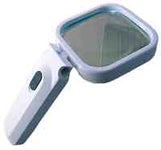
READING MAGNIFIER, 80X80mm WITH 4 L.E.D. LIGHTS [cl] (RRP £7.50 )

Waltex double loupe, 2 lenses combined = 10X (RRP £7.50 )

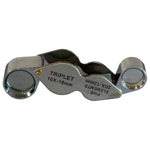
10X18 with 20X12 Loupe - not triplets (RRP £6.50 )

QUESTIONS & ANSWERS

Ask a Question
  • How is the image quality of this digital loupe compare with an optical loupe?

    The digital loupe is better for:

    - seeing the image on a screen, especially if you're not good at using loupes

    -  reading the laser-inscriptions on diamonds (unless you have a special loupe designed for this purpose)

    - reading hallmarks in inaccessible places (though a good quality loupe used with a good light would work fine)

    - showing your customer the image

    - using a micro-SD card (not supplied) to record the image.

    The digital loupe is essential for many non-jewellery applications: looking inside lock mechanisms, inspecting hard-to-reach PCBs, the inside of a mouth, mineral samples in-situ, live insects if you don't want to get too close. 

    HOWEVER, if you' go for a good quality loupe, then for jewellery the loupe will be better, especially for examining gemstones where focussing inside the stone will be easier - but only if you know how to use a loupe!